Demo
$0
Every screen, sample data.
- Dashboard, sessions and stats
- Session detail and transcode reasons
- The widget, labeled DEMO
- No server, no account, no sign-up
- Connecting your own server

Forgehaven Labs · FinDeck · iPhone · for people who run their own Jellyfin server
FinDeck is a read-only companion for Jellyfin server admins. See who is streaming, why a stream is transcoding, and how your server has been used, with a Home Screen widget and optional alerts.
Coming soon to the App Store · iPhone, iOS 17+ · try the free demo · Pro is a one-time $14.99 unlock
The at-a-glance layer
The questions you keep answering by opening the Jellyfin dashboard in a phone browser. FinDeck connects straight to your server and answers them in a native iPhone app.
What it does
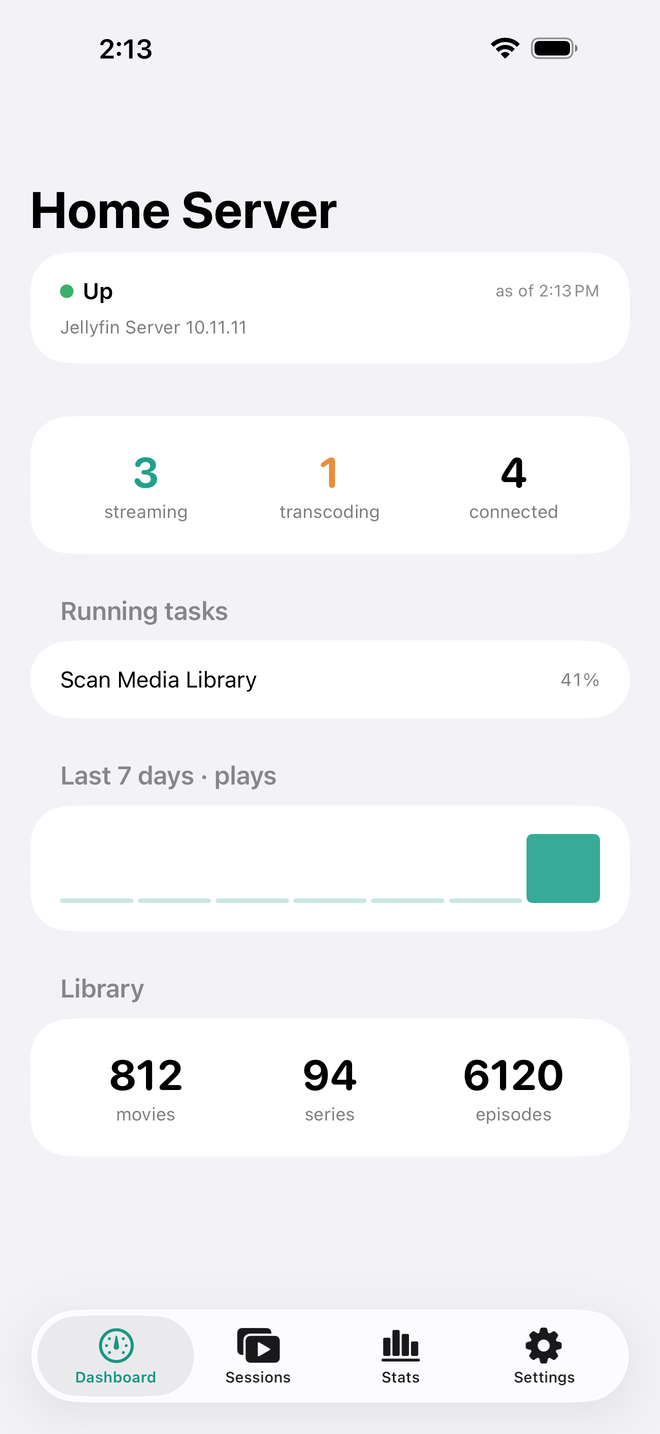
Server status and version, active streams, transcodes and connected devices, running scheduled tasks (admin accounts), and library counts for movies, series and episodes. Every reading carries an "as of" time.
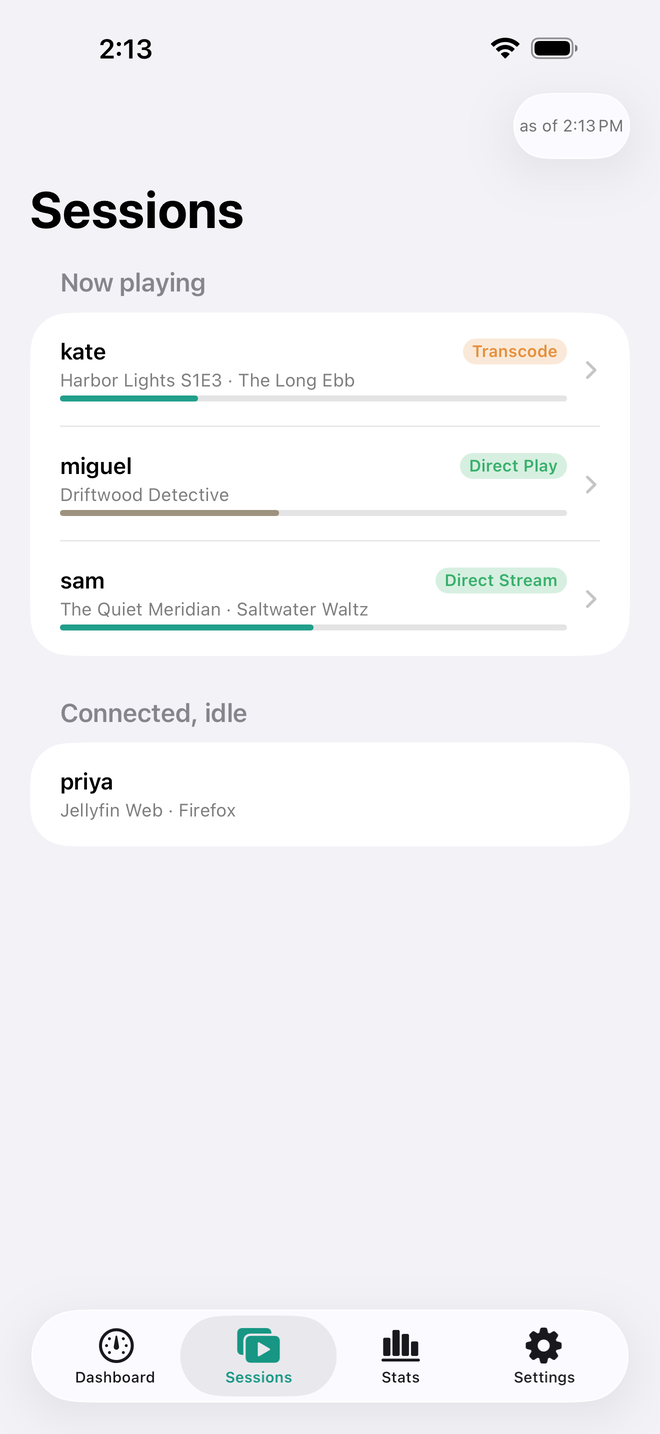
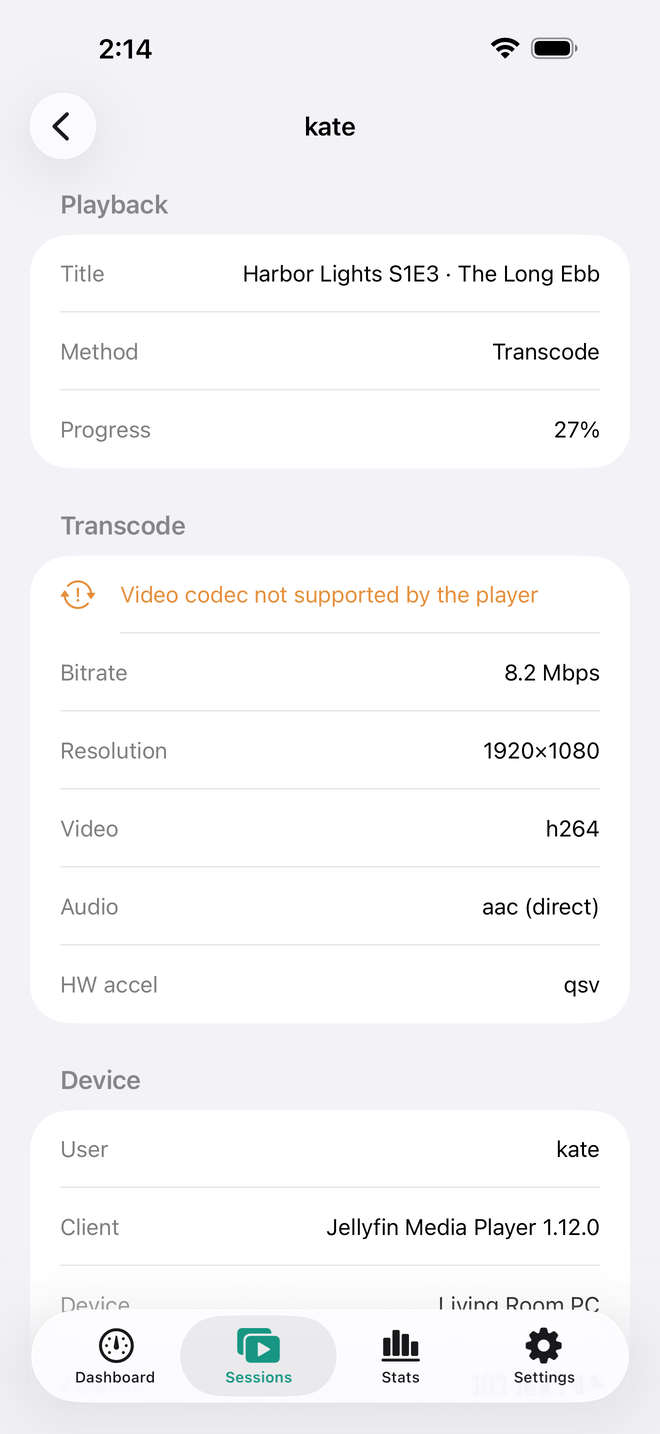
Now playing and idle devices. Open a session for its playback method and progress; for a transcode, also the reason, bitrate, resolution, codecs and hardware acceleration.
Instead of a raw flag, FinDeck tells you why a stream is transcoding, such as "Video codec not supported by the player".
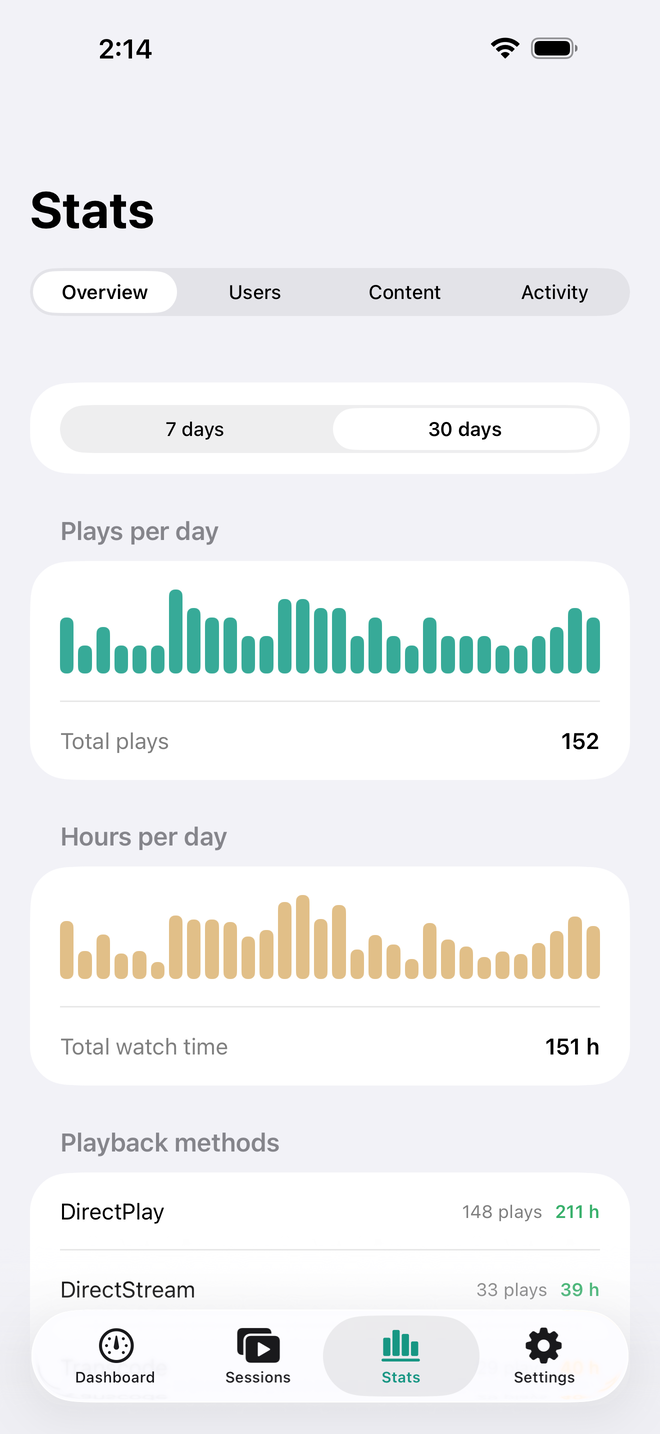
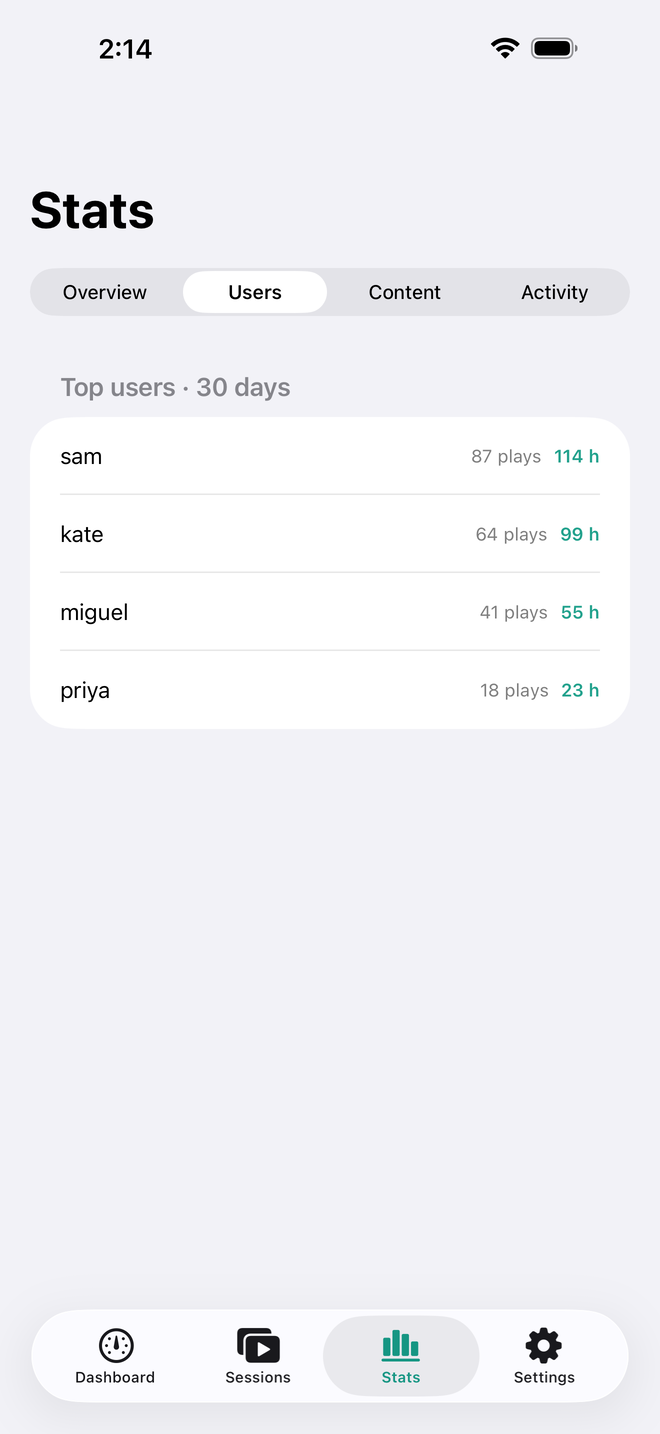
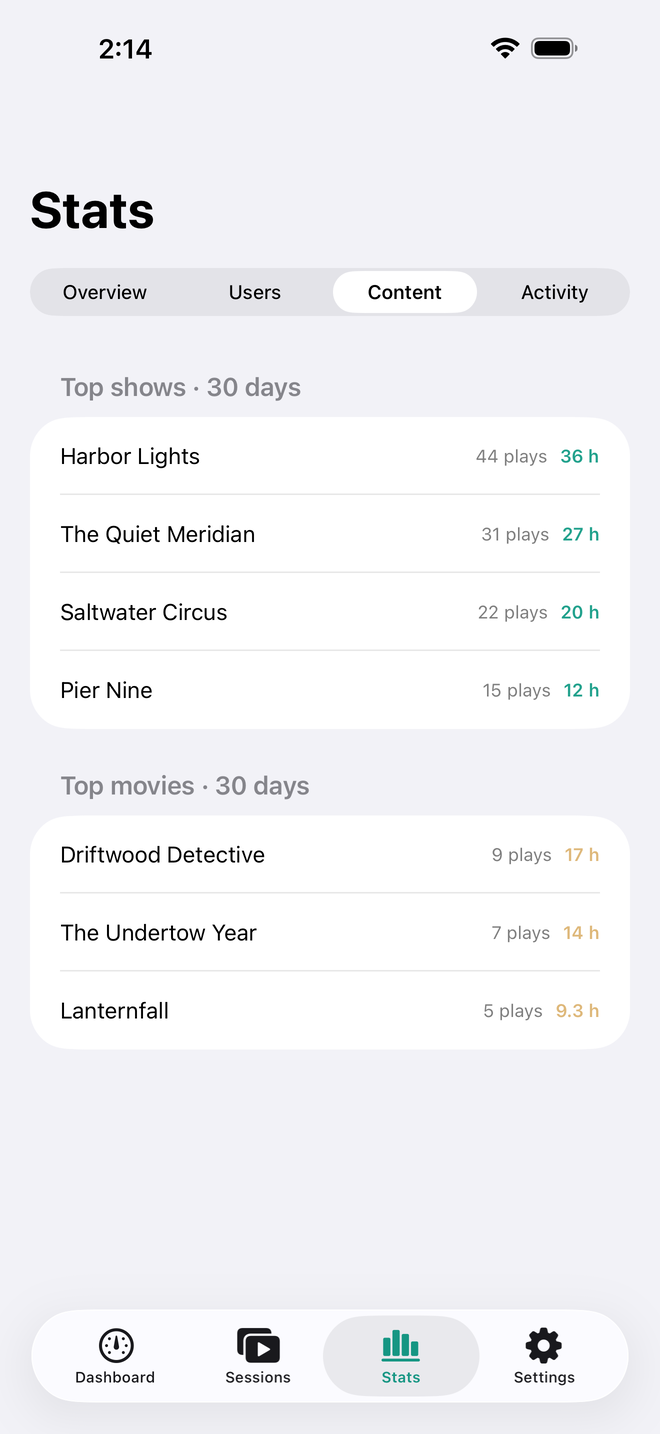
Plays and hours per day over 7 or 30 days, top users, top shows and movies, the direct play, direct stream and transcode split, and the server activity log. Needs an admin account.
A small or medium Home Screen widget with server status and active streams. Optional notifications for server unreachable, new session and transcode started.
No account, no backend, no analytics. FinDeck talks only to the servers you add. Access tokens stay in the iOS Keychain; your password is never stored.
On your phone
Shown with fictional sample data, the same kind the in-app demo uses.
Who it's for
Jellyfin runs on a box in the closet or a NAS. FinDeck is the couch view of it, without a laptop.
Several people stream from your server. See who is watching what, and which devices force a transcode.
Check the playback method of a live stream and, for a transcode, its reason, bitrate and hardware acceleration.
See what gets watched, and by whom, over the last 7 or 30 days, from the free Playback Reporting plugin.
Pricing
No subscription. No ads. The demo shows every screen with sample data at no cost; connecting your own server needs the one-time Pro unlock.
$0
Every screen, sample data.
$14.99
One-time purchase. No subscription.
Price shown in USD; the App Store shows your local price.
FAQ
No. The demo is free and shows every screen with sample data, so you can see exactly what you get. Connecting your own Jellyfin server needs FinDeck Pro, a one-time $14.99 purchase. There is no subscription.
Sign in with Quick Connect or your user name and password. An administrator account sees every session, the activity log and the stats. A non-admin account sees its own sessions, the library counts and the server version.
Full watch history comes from the free Playback Reporting plugin for Jellyfin. It records from the day you install it and keeps 3 months of history by default. Without the plugin, FinDeck shows the plays it observed itself and walks you through installing the plugin.
Alerts are local notifications for the server you have selected: Server unreachable is on by default; New session and Transcode started are off until you turn them on. They are best-effort: iOS decides when FinDeck may check in the background, typically a few times a day. On cellular data, a home-network server shows "unreachable from here" instead of alerting, and a server on a Tailscale address never alerts. FinDeck can't tell one Wi-Fi network from another, so on another Wi-Fi network, a home-only server can still alert.
No. Use a local address on your home network, or your VPN address (Tailscale and similar work well). Public hostnames need HTTPS; plain http works for local addresses and VPN IP addresses (for example 100.x.y.z), not for VPN host names.
FinDeck can't accept a self-signed certificate: it uses the standard iOS certificate check and has no option to approve one. Use a certificate iOS already trusts (for example from Let's Encrypt or your reverse proxy), install and trust your own certificate authority on the iPhone, or connect over plain http to the server's local or VPN IP address. Support has the details.
No. It reads your server. The only other requests are signing in, Quick Connect, and signing the app out when you remove a server.
Yes. There is no FinDeck backend and no account. The app talks only to the servers you add. Access tokens live in the iOS Keychain and go only to your servers. No analytics, no ads, no tracking. The App Store privacy label is Data Not Collected. See the privacy policy.
Refunds are handled by Apple; we cannot issue them. After a refund your saved servers are kept, and Pro features lock: live data, background checks, alerts and the widget pause, and FinDeck offers to unlock Pro again or use the demo. Buying or restoring Pro resumes everything.
Version 1 is iPhone only, iOS 17 or later, with small and medium Home Screen widgets. There is no Android version.
Coming soon
FinDeck is heading to the App Store. Drop a line and I'll tell you the day it lands.
iPhone, iOS 17+ · one-time purchase · no subscription
FinDeck is an independent app. It is not affiliated with or endorsed by the Jellyfin project. The Jellyfin name is used only to say which servers the app works with.