Free
$0
One real server, live.
- One server with the live dashboard
- tok/s, TTFT, queue depth, KV-cache
- vLLM · Ollama · LiteLLM
- Demo rigs, which don't use your free slot
- Unlimited rigs and fleet view
- Breach alerts
- History charts and Home Screen widget

Forgehaven Labs · InferWatch · iPhone · for people who run their own inference
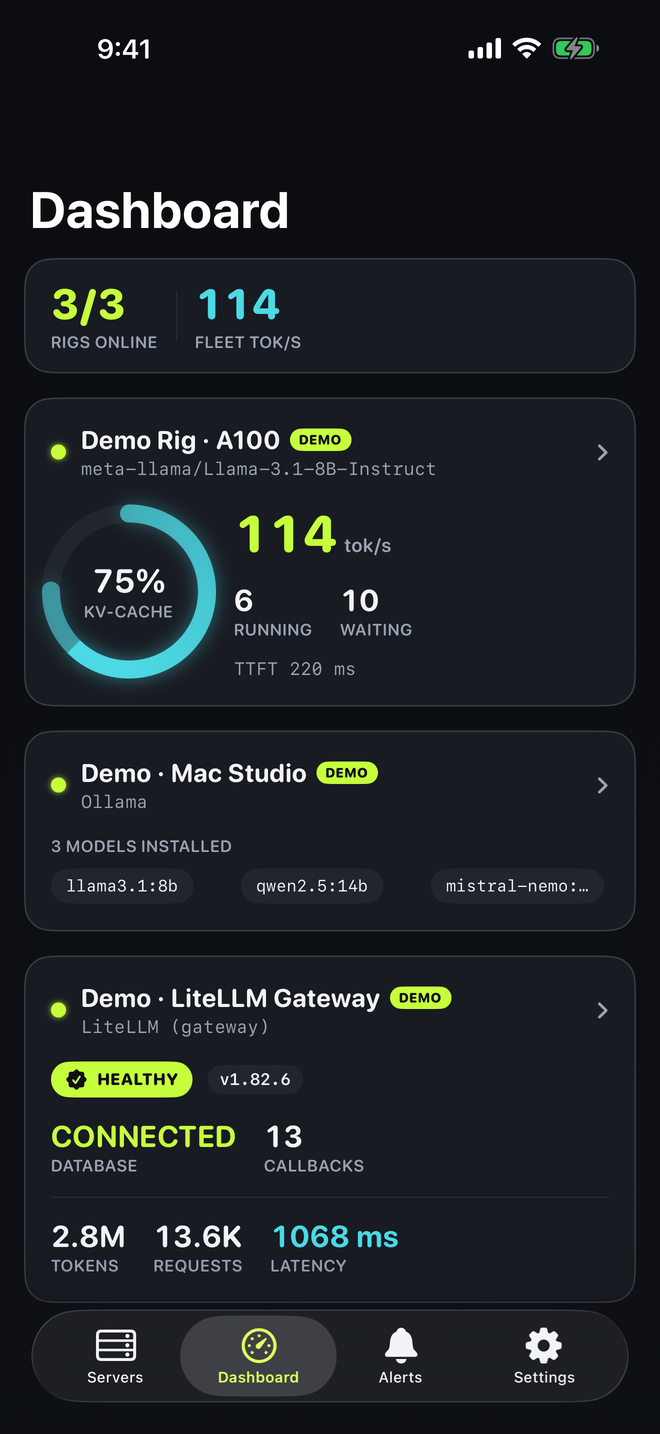
InferWatch is a native iPhone monitor for your self-hosted vLLM, Ollama, and LiteLLM servers. Live tok/s, KV-cache pressure, and queue depth for vLLM, installed models for Ollama, and gateway health for LiteLLM, plus a local notification when a rig backs up, stalls, or drops offline.
Coming soon to the App Store · iPhone, iOS 17+ · one free rig · Pro is a one-time $14.99 unlock
InferWatch was called TokenWatch before launch.
The at-a-glance layer
The question you keep answering by SSH-ing in or pinch-zooming a Grafana dashboard in mobile Safari. InferWatch connects straight to your servers and shows the few numbers that answer it.
What it does
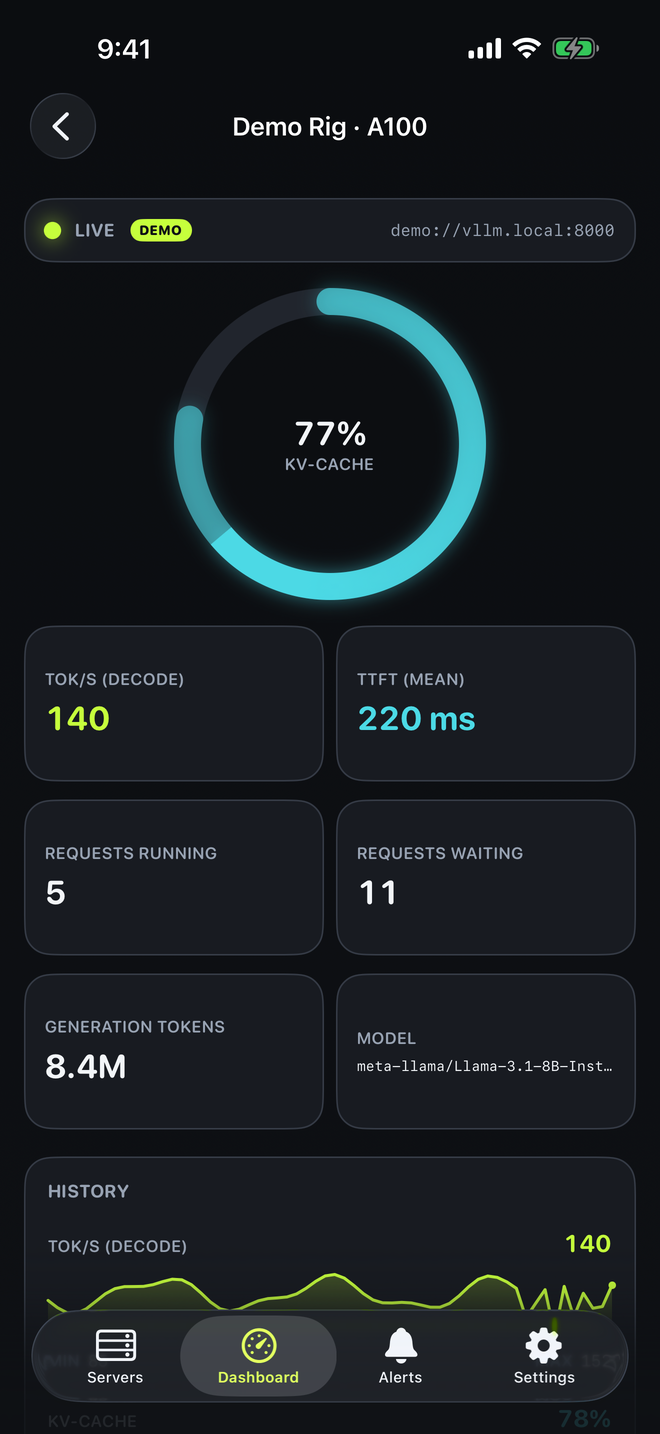
A ring you can read across the room, from vLLM's own cache-usage metric. Works with both the v0 and v1 metric names.
Decode tok/s derived from vLLM's token counter, mean time-to-first-token, and running and waiting requests, refreshed every 2, 3, or 5 seconds while the app is open.
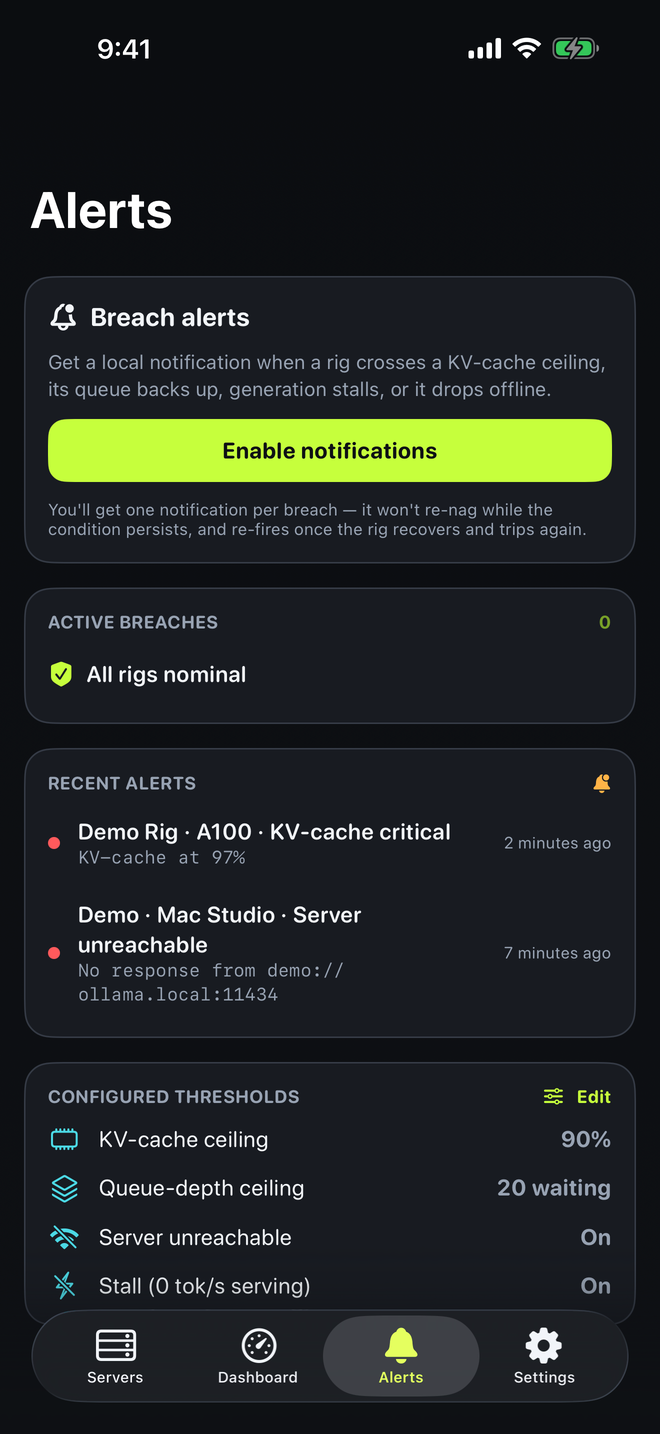
A local notification when a rig crosses your KV-cache ceiling, backs up its queue, stalls at 0 tok/s while serving, or drops offline. One alert per incident, plus a recovery notice.
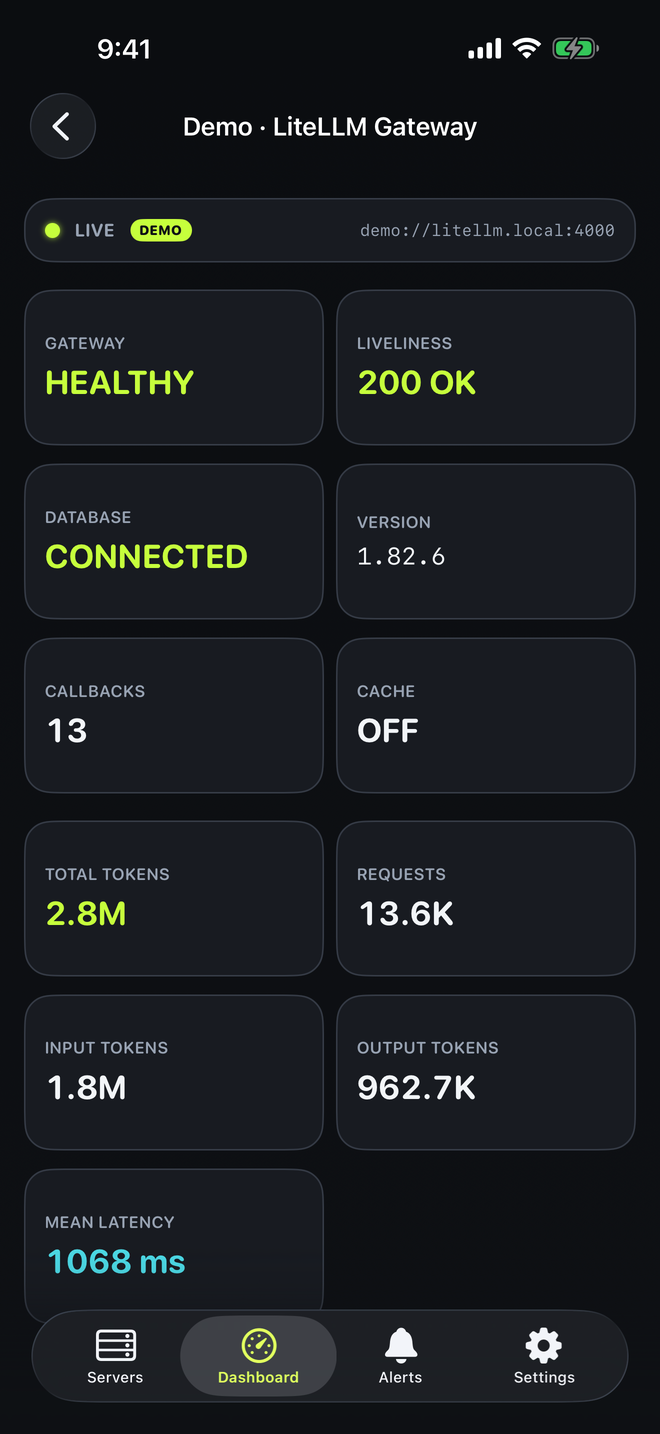
ProInstalled models for Ollama. Health, liveliness, database status, and version for a LiteLLM gateway, plus token and latency stats when its Prometheus callback is on.
Every rig on one dashboard with fleet tok/s, recent tok/s and KV-cache sparklines per vLLM rig, and a small or medium Home Screen widget.
ProNo account, no backend, no analytics. InferWatch talks only to the servers you add. Bearer tokens stay in the iOS Keychain and go only to your server, over HTTPS.
On your phone
Shown with the built-in demo rigs (marked DEMO in the app).
Who it's for
You run vLLM or Ollama on a box in the closet. InferWatch is the glance-at-your-phone view you've been faking with a browser tab.
One GPU box, several people hammering it. Watch queue depth and KV-cache so you can see when it's saturated.
Running LiteLLM in front of your models? InferWatch reads its health, and its token metrics when you enable the Prometheus callback.
The server went dark mid-run and you heard about it hours later. Offline and stall alerts help you hear about it sooner, within what iOS background refresh allows.
Pricing
No subscription. No ads. The single-server live monitor is free; a one-time Pro unlock adds the rest.
$0
One real server, live.
$14.99
One-time purchase. No subscription.
Price shown in USD; the App Store shows your local price.
FAQ
vLLM (its Prometheus /metrics, v0 and v1 metric names), Ollama (installed models from /api/tags), and LiteLLM gateways (health, plus token stats when the Prometheus callback is on). The Prometheus server type reads the same vLLM metric names from /metrics. Other backends such as llama.cpp, TGI, or SGLang use different metric names and are not mapped yet. Tell me which one you want next.
While the app is open it polls every 2, 3, or 5 seconds. In the background, iOS decides when InferWatch gets to check (Background App Refresh: no more often than every 15 minutes, and often less often). Alerts are local notifications; there is no push server. It is a companion, not a pager: keep Alertmanager for hard paging.
No. Reach it the way you already do: a LAN address on the same Wi-Fi, or a VPN like Tailscale. Allow the Local Network prompt so InferWatch can reach homelab boxes directly.
Yes. There is no InferWatch backend and no account. The app talks only to your servers. Bearer tokens live in the iOS Keychain and are sent only to your server, and only over HTTPS. No analytics, no ads, no tracking. The App Store privacy label is Data Not Collected.
No. InferWatch Pro is a one-time $14.99 purchase. The single-server monitor is free.
Version 1 is iPhone only (iOS 17 or later), with a Home Screen widget. iPad and more widget types are planned after launch. There is no Android version.
Yes. Tap Add demo rigs for a labeled sample fleet (a vLLM rig, an Ollama Mac Studio, and a LiteLLM gateway) and explore every screen with no server at all.
Coming soon
InferWatch is heading to the App Store. Drop a line and I'll tell you the day it lands.
iPhone, iOS 17+ · one-time purchase · no subscription
InferWatch is an independent app and is not affiliated with or endorsed by the vLLM, Ollama, or LiteLLM projects. Their names are used only to describe compatibility.